Creating a Group in Infrahub
Within Infrahub a Group can be created in multiple ways: in the UI, GraphQL, SDK and allow you to create and manage collections of objects.
As the first step we need to create a group.
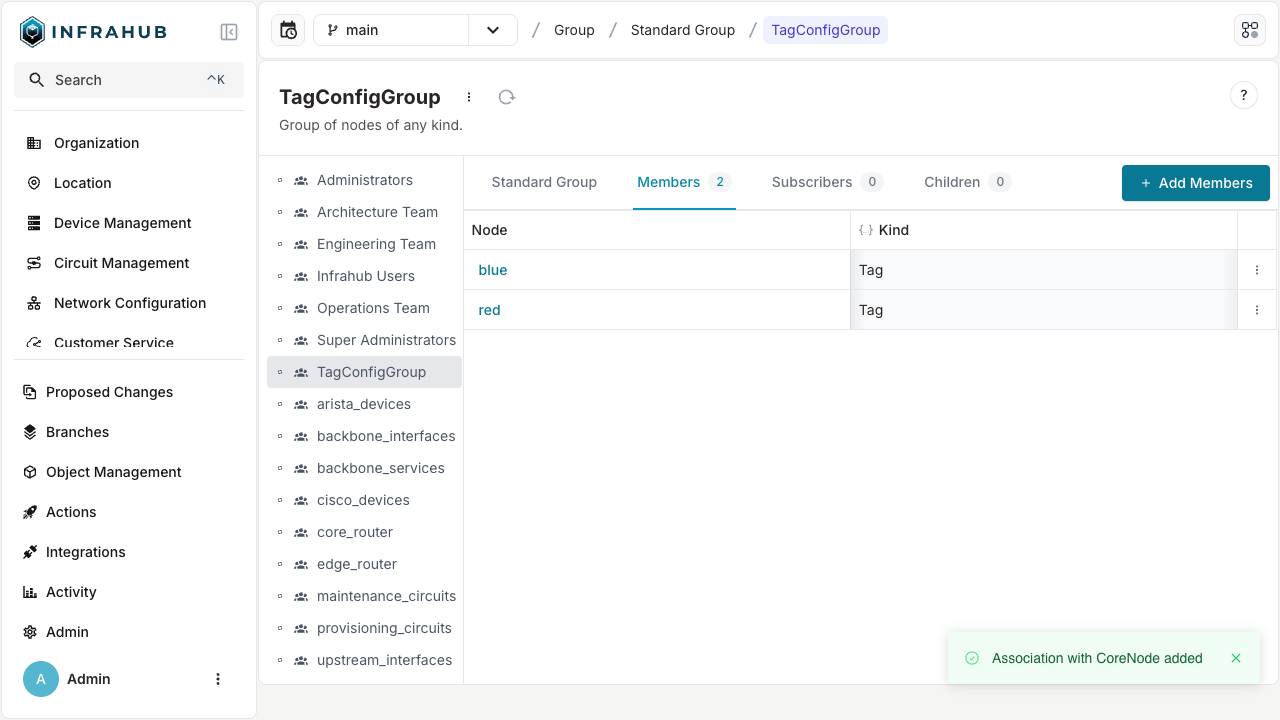
We will be adding the red and blue tag to the TagConfigGroup group that we created in the previous step.
- Via the Web Interface
- Via the GraphQL Interface
Via the Web Interface
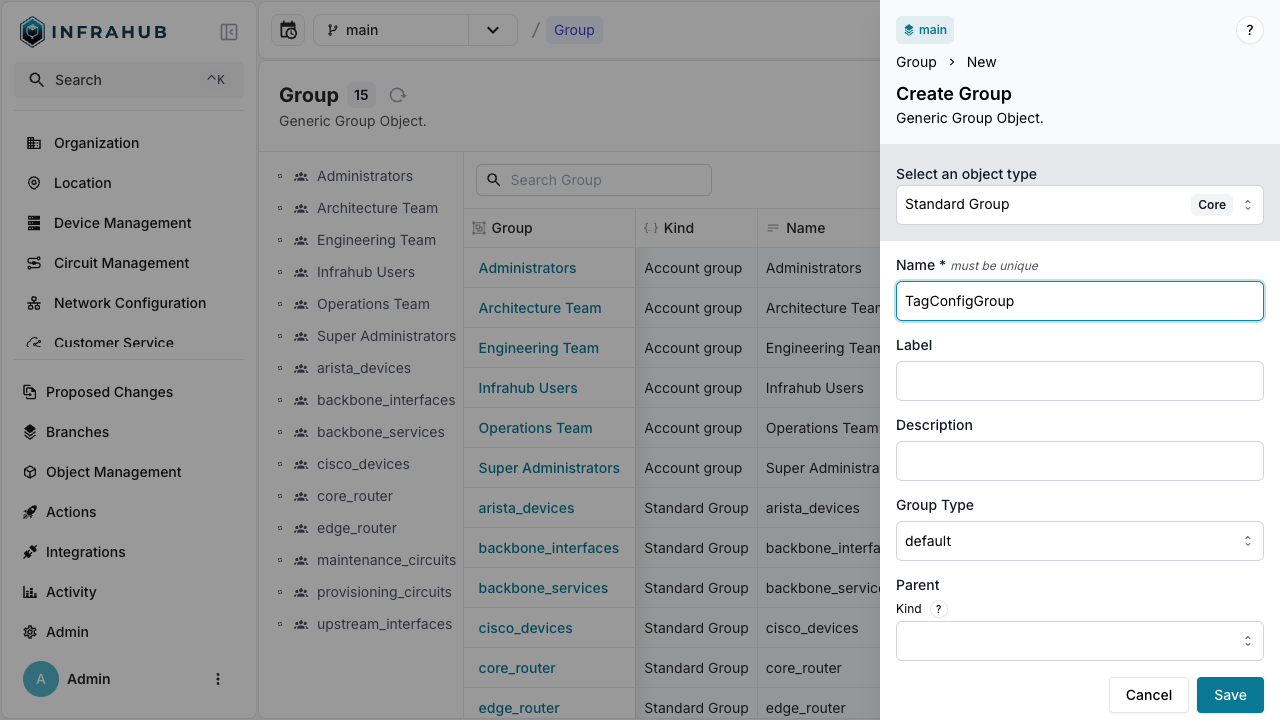
In the web interface navigate to Object Management > Groups in the menu on the left.
As the first step we need to create a group.
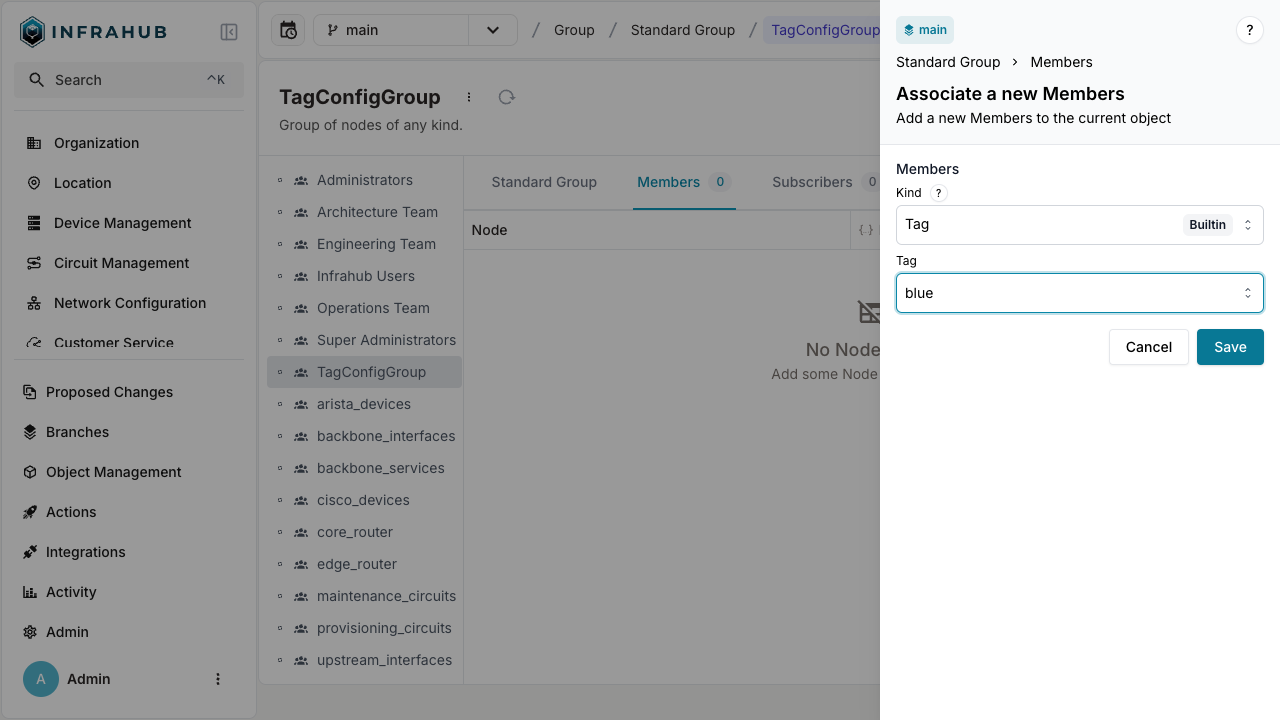
Then we will add members to the group.
Via the GraphQL Interface
- Open the GraphQL Interface.
- Execute this GraphQL mutation to create the group
TagConfigGroup.
mutation CreateGroup {
  CoreStandardGroupCreate (data: {name: {value: "TagConfigGroup"}}) {
    ok
    object {
      hfid
    }
  }
}
Take note of the returned HFID, we will need it when we add members to this group.
- Adding members to the group
We will be adding the red and blue tag to the TagConfigGroup group that we created in the previous step.
We need to retrieve the ids of the red and blue tag. Execute the following GraphQL query and take note of the ids.
query {
  BuiltinTag (name__values: ["red","blue"]) {
    edges {
      node {
        id
        display_label
      }
    }
  }
}
Next, we will be adding the tag nodes to the group. We will use the following GraphQL mutation.
In the mutation, replace the IDs with the ones from the tags retrieved in the previous step
mutation UpdateGroupMembers {
  CoreStandardGroupUpdate (
    data: {
      hfid: ["TagConfigGroup"],
      members: [
        {id: "<id of red tag>"},
        {id: "<id of blue tag>"}]}
  ) {
    ok
  }
}
The resulting mutation should look like this (note that the ids will be different in your case).
mutation UpdateGroupMembers {
  CoreStandardGroupUpdate(
    data: {
      hfid: ["TagConfigGroup"],
      members: [
        {id: "17a8f438-fe39-d85f-3c3b-c51d66d0603f"},
        {id: "17a8f437-157a-e023-3c3c-c51f788ddf91"}]}
  ) {
    ok
  }
}
In the web interface navigate to Object Management > Groups in the menu on the left.
Select the TagConfigGroup and navigate to the Members tab. We can confirm that the red and blue tag are now a member of the group.